
 |
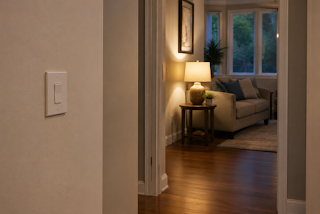
| Warmly lit room |
A useful smart-home routine should make an ordinary task easier. It should not become the only way that task can be done.
That distinction matters most when the routine supports lighting, entry, communication, or another part of daily life people expect to work without a lesson. An app can be convenient. A voice command can feel effortless. A schedule can run quietly in the background. But the home should still make sense when the phone is charging, the internet is down, a device is updating, or somebody simply does not remember the command.
The goal is not to prepare for every imaginable failure. It is to give each useful routine one familiar way through.
Start with the ordinary control
Look at the task before you look at the automation. How would someone turn on this light, unlock this door, or complete this step without the routine?
For lighting, the answer may be a familiar wall switch or lamp control that remains easy to reach. For a reminder, it may be a written note or calendar entry. For an entry routine, it may be the ordinary physical key and a clear plan for who has access.
A manual path should feel normal. If it requires a hidden menu, an unusual sequence, or an explanation that only one person knows, it is not much of a fallback.
Keep essential paths simple
Not every automation carries the same weight. A decorative light that misses its evening schedule is an inconvenience. A dark route through the home can affect safety.
Pay closer attention to routines connected to walking paths, entry, communication, and other everyday needs. Keep the physical control visible and usable. Avoid building a chain in which several devices, services, or remembered commands must all work before a basic task can be completed.
This does not mean avoiding smart technology. It means making sure convenience sits on top of a home that still works in a familiar way.
Write the fallback in one sentence
For each important routine, finish this sentence: “If the routine does not run, I will…”
The answer should be short and specific:
- use the wall switch beside the doorway;
- turn on the lamp from its ordinary control;
- use the physical key kept in the agreed place;
- call the named person using the number on the contact card.
If you cannot finish the sentence clearly, the routine may need to be simplified.
A one-sentence fallback also helps another person understand the home. A spouse, adult child, caregiver, neighbor, or houseguest should not have to diagnose the system before taking a basic action.
Test the manual path while everything works
The best time to check a fallback is not during an outage or a frustrating device failure. Try it on an ordinary day.
Turn the routine off temporarily. Use the physical control. Confirm that the path is clear, the control is easy to find, and the household knows what to do. If a backup depends on a charger, battery, key, or printed contact, verify that it is present and usable.
Ready.gov recommends planning for batteries or other alternative power sources during outages. NIST’s IoT guidance also emphasizes clear manufacturer documentation for maintenance, support, and device operations. Those broader resilience principles point to the same practical habit at home: know what the system depends on, keep the instructions understandable, and test the response before a problem forces the issue.
Do not confuse a manual path with a whole-home outage plan
A manual control helps when an automation, app, or routine fails. It does not solve every power, internet, battery, or safety problem.
Keep the scope honest. A wall switch cannot light a lamp when household power is out. A physical key does not replace a family communication plan. A printed note does not recharge a phone.
That is why calm planning uses layers: a familiar manual control for the ordinary task, plus a separate backup plan for outages and emergencies.
Make the home understandable at a glance
A reliable smart home does not trap people inside its technology. It gives them choices.
The routine may run automatically most days. The physical control remains familiar. The fallback sentence is easy to find. Another person can understand the setup without guessing. That is what makes automation supportive rather than controlling.
For related Ironcrest guidance, see Why Backup Matters More Than Features in Smart Homes and What Happens When Technology Fails — And How to Plan for It.
If you want a structured way to map routines, maintenance, and backup steps before adding more devices, the Calm Home Complete System combines the Smart Home Automations for Seniors book with the Companion Pack planning tools. The current Ironcrest page lists the Complete System Bundle at $25.00.
Give every important routine one manual way through. You may rarely need it. Knowing it is there makes the entire system calmer.

No comments:
Post a Comment